Widgets that embed directly into Notion — no apps, no friction, five themes, full customization. Built by a developer, not just another template.
Widgets designed to look beautiful and actually work inside your workspace. Click any card to learn more.
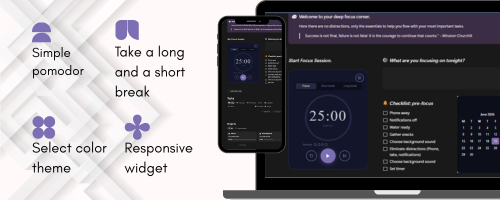
Adapts to any width — horizontal, vertical, or full screen. Zero URL configuration needed.
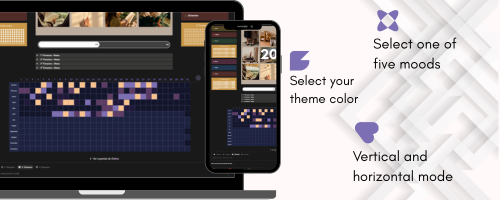
Dark, Rose, Midnight, Ocean and Notion. Every widget matches your page aesthetic.
Set your own color palette with the built-in picker and save your favorite theme instantly.
Paste the link and you're done. Every widget is self-contained with its own settings panel.
Ten years of experience in every detail. Widgets that update without duplicating your template.
Most widgets are free forever. Upgrades and persistence come with Premium whenever you're ready.
Each one solves something specific in your day, while keeping the same cosmic aesthetic.
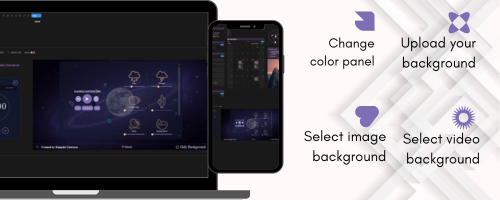
Mix adjustable sounds and swap the background for preset images or clips — or upload your own. Embeds perfectly and adapts to any Notion width.
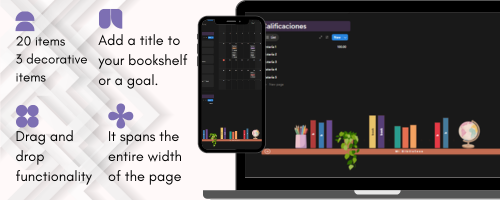
Add up to 20 books and decorative accessories. Change the name, color, height and width of each spine. Extra designs and decorations unlock with Premium.
A mood calendar that fills with color day by day. Matches any of the five themes and summarizes your week effortlessly.
A clean timer to focus on the day's task and block out the noise. Perfect for study sessions and deep work.
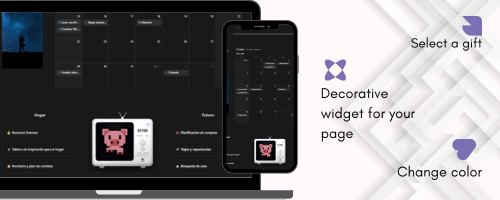
A CRT screen with 16×16 animated GIFs. Change the chassis color and accent, upload your own GIFs, and give your Notion a nostalgic touch.
A jar that fills with coins toward your savings goal, and a visual progress tracker with evolving illustrations. Actively in development.
Full Notion templates built around our original interactive widgets. Duplicate one and your workspace is ready today.
No templates match your search yet.
Every widget works for everyone, with no account and no card. What changes between plans is how far you can personalize it, whether it remembers you, and whether it writes back into your Notion.
No account. Just copy the link and embed it.
Sign in with Google and the settings panel opens up.
For people who build their whole Notion around these.
Get notified + early-bird price
Looking for complete Notion systems? Browse templates →
An ecosystem of interactive widgets and templates for Notion. Each widget embeds directly into your workspace and fits your aesthetic — no installation required.
Copy the widget link and paste it as an "embed" in your Notion page. It automatically adjusts to whatever width you give it, horizontal or vertical.
No. The widgets work with the free version of Notion. You just need to be able to insert embedded content, which is available on all plans.
Yes. Every widget ships with preset themes you can use right away. Leaving your email unlocks the full panel — your own palette, labels and fonts. Either way your configuration is saved in your browser.
Because it unlocks around 80% of every settings panel: your own colors, labels, fonts and presets, instead of the preset themes only. It costs nothing and there is no card involved — it just lets me know who is using the widgets so I know what to build next.
The big one: some widgets will write straight into a Notion database of yours — your Pomodoro sessions, your habits, your mood — so the data lives in your workspace and not just inside the embed. Plus your settings saved to your account instead of only your browser, the same widget embedded several times with a different design each, and a dashboard to manage them. It is still in development — nothing is locked behind it today.